Social engineering scams: an MSP training and response guide
Social engineering scams need role-aware training, verification rules, and clean reporting. Here is the MSP guide.
DefendWise
DefendWise
TL;DR
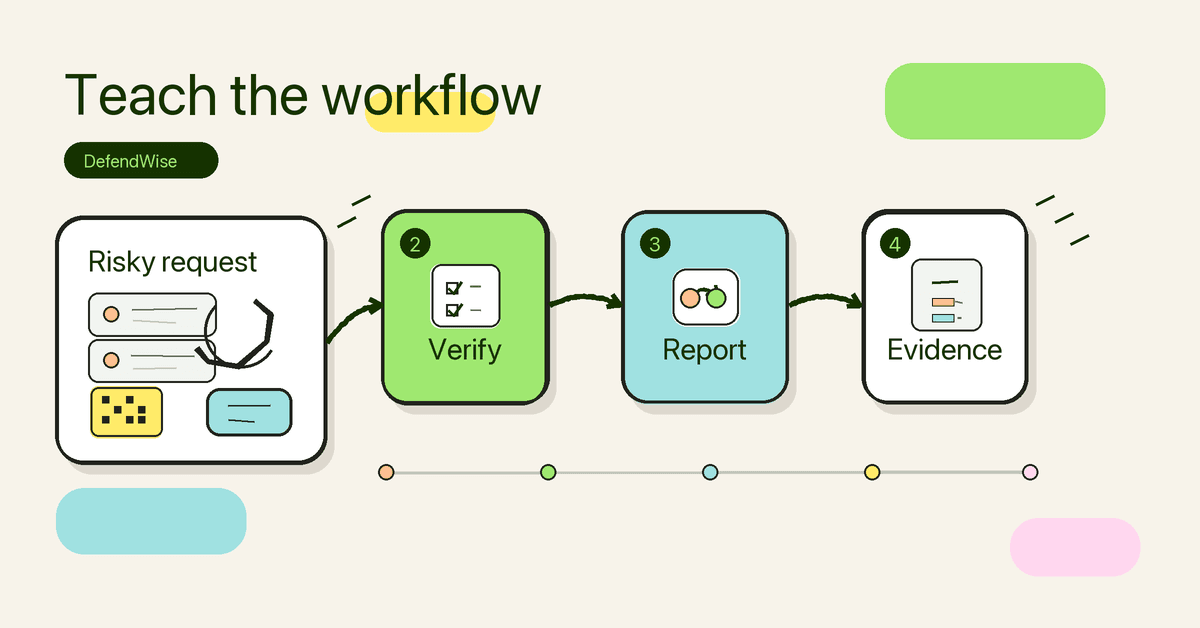
Social engineering scams work because they look like normal business requests at the wrong moment: pay this invoice, reset this password, approve this login, scan this QR code, update this payroll record, or open this shared document. For MSPs, the answer is not a longer lecture on scam names. It is a repeatable client workflow: teach the common scam patterns, map high-risk roles, set no-exception verification rules, make reporting easy, and show coverage in client reports.
The MSP version of social engineering training should connect the human decision to the business process. If the request moves money, changes access, exposes data, or bypasses a normal approval path, the user should know exactly how to pause, verify, and report it.
What are social engineering scams?
CISA defines social engineering as attacks that use human interaction to obtain or compromise information about an organization or its computer systems. In plain English: the attacker does not always break the system first. They persuade a person to open the door.
That persuasion can happen through:
- email phishing;
- targeted spear phishing;
- executive whaling;
- business email compromise;
- vishing, or voice-based scams;
- smishing, or SMS-based scams;
- fake support or helpdesk requests;
- QR-code phishing;
- fake vendor, bank, delivery, HR, or government messages;
- impersonation through collaboration tools or social media.
The wording changes by channel, but the move is usually the same. The attacker creates pressure, borrows trust, and asks the user to act before they check.
For MSP clients, that matters because most users are not making abstract security decisions. They are making business decisions under time pressure: paying suppliers, answering customers, onboarding staff, approving access, handling payroll, or trying to avoid looking difficult in front of an executive.
Why this matters for MSPs
MSPs inherit the mess after a social engineering scam. A client user clicks a fake Microsoft 365 link, approves an unexpected MFA prompt, sends W-2 data, calls a fake support number, or changes vendor payment details. Then the MSP is pulled into mailbox review, identity cleanup, endpoint checks, incident notes, client reporting, and the awkward conversation about whether training was in place.
The risk is not theoretical. The FBI’s IC3 social engineering PSA warns that criminals use employee impersonation, SIM swapping, call forwarding, phishing, and other social engineering methods to gain access to financial, corporate, and network accounts. The FBI’s business email compromise guidance describes BEC as messages that appear to come from a known source making a legitimate request.
NIST’s small-business phishing guidance also notes that AI can now help attackers craft more convincing phishing messages, which makes a second or third look at action-request messages more important. Verizon’s 2026 DBIR page highlights AI-augmented attacks and higher click rates on mobile threats, which is a reminder that social engineering has moved well beyond the old suspicious-email poster.
For an MSP, social engineering creates 5 operating problems:
| MSP problem | What goes wrong | Better operating model |
|---|---|---|
| Coverage | Only some users complete training | Every user gets baseline training; high-risk roles get extra scenarios |
| Relevance | Training is generic and easy to ignore | Examples match finance, HR, executives, admins, and general staff |
| Verification | Users decide alone under pressure | Sensitive requests require a known second channel |
| Reporting | Users delete, forward randomly, or stay quiet | One clear reporting path feeds MSP triage |
| Evidence | The MSP cannot prove coverage or follow-up | Client reports show completion, topics, exceptions, and next actions |
That is the point of this guide: turn social engineering from a scary category into a manageable client workflow.
The social engineering scams MSP clients should recognise
The best way to teach social engineering is to connect the scam type to the business decision it abuses.
| Scam type | Common channel | What the attacker wants | Client example | MSP training emphasis |
|---|---|---|---|---|
| Phishing | Email, fake website | Credentials, malware install, payment, data | “Your Microsoft 365 password expires today.” | Navigate directly to the service; report the message |
| Spear phishing | Email, LinkedIn, document share | A specific person or team action | “Updated contract attached for your client.” | Check context, sender, domain, and file source |
| Whaling | Email, voice, collaboration tool | Executive approval or high-value action | “I’m in a meeting. Pay this today.” | No executive request bypasses approval rules |
| BEC | Email, compromised mailbox | Payment or data transfer | “Vendor bank details changed.” | Verify with known contact details from the existing record |
| Vishing | Phone, voicemail, VoIP | Credentials, MFA approval, support action | “IT here. Read me the code.” | Never share MFA codes; call known numbers only |
| Smishing | SMS, messaging apps | Click, call, pay, log in | “Unpaid toll. Final notice.” | Treat texts as untrusted action prompts |
| QR phishing | Posters, emails, invoices, lures | Move user to a fake site | “Scan for updated benefits form.” | Inspect destination and avoid QR prompts in sensitive workflows |
| Helpdesk impersonation | Phone, ticket, chat | Password reset, account takeover | “VIP user locked out, urgent reset.” | Verify identity through the approved ticket path |
| Vendor impersonation | Email, phone, invoice | Payment change or malware | “New bank account for next invoice.” | Require supplier change controls |
Do not make users memorize every label. Teach the patterns:
- The request is urgent.
- The channel is unusual.
- The sender borrows authority.
- The action changes money, access, data, or approval.
- The user is told to keep it quiet or skip the normal process.
- The link, attachment, phone number, QR code, or login page controls the next step.
The label helps MSPs structure the program. The pattern helps users stop the scam.
Why old phishing advice is not enough
“Look for bad grammar” is not wrong. It is just too small.
The FTC’s phishing guidance says phishing emails and texts often tell a story to trick people into clicking a link or opening an attachment. It also recommends contacting a company through a phone number or website you know is real, not the information inside the suspicious message.
That advice is still useful. But MSPs need to build on it because many scams now look normal enough to pass a quick visual check. The fake invoice may use a real vendor name. The fake HR request may arrive during a real hiring cycle. The fake document share may look like something the user was expecting. The fake phone call may know the employee’s role and manager.
Better training asks business-process questions:
- Is this request expected?
- Is this the normal channel?
- Does this change a payment, credential, MFA method, payroll record, vendor record, or customer data?
- Is the sender trying to stop me from using the normal approval path?
- Can I verify this through a contact method I already trust?
- Do I know where to report it if I am unsure?
Users do not need to become threat analysts. They need permission to pause and a simple route for escalation.
What MSPs should teach by role
One generic module is easy to assign. It is also easy to ignore.
Social engineering scams hit different teams in different ways. A payroll user, owner, helpdesk technician, project manager, receptionist, and finance manager do not all need the same examples.
| Role | Likely scam pressure | Training example | Verification rule |
|---|---|---|---|
| Finance / accounts payable | Vendor payment, invoice, bank-detail change | “Our account details changed. Use this new bank account.” | Call the known vendor contact from the existing record |
| HR / payroll | Employee data, benefits, tax forms, payroll changes | “Send the employee list before close.” | Use HR system workflows and approved internal contacts |
| Executive / owner | Urgent approval, document signing, wire transfer | “Approve this while I’m travelling.” | No approval by email or SMS alone |
| IT admin / helpdesk | Password reset, MFA reset, app access | “VIP locked out. Reset now.” | Verify identity through ticketing and approved manager path |
| Reception / front desk | Delivery, visitor, vendor, phone handoff | “I’m from your IT provider. Put me through.” | Confirm caller identity before transferring or disclosing info |
| Sales / customer service | Fake client files, payment links, document portals | “Here is the updated contract.” | Open client files from known systems, not surprise links |
| General staff | Login prompts, attachments, QR codes, text scams | “Password expires today.” | Go direct to the service and report suspicious messages |
For a broader social engineering prevention guide, see Defendwise’s post on preventing social engineering attacks. For the user-reporting workflow, see the Outlook phish alert button guide.
Step-by-step: how MSPs can build a client workflow for social engineering scams
1. Start with the highest-consequence requests
Do not start by listing every scam type. Start with the requests that could hurt the client fastest.
For most SMB clients, that means:
- payment approval;
- vendor bank-detail changes;
- payroll and employee data;
- password resets;
- MFA resets or unexpected MFA prompts;
- privileged account access;
- sensitive client files;
- unusual document shares;
- requests to move a conversation to a private channel.
Each client should have a small set of “always verify” actions. If the action is on that list, the user does not decide alone.
2. Write no-exception verification rules
A good rule is short enough to use while someone is busy.
Examples:
- No bank-detail change is accepted from email alone.
- No payment is approved from SMS, chat, or email alone.
- No MFA code is read aloud to anyone.
- No password reset is completed without the approved ticket path.
- No employee file is sent to a private email address.
- No vendor request uses the contact details inside the suspicious message.
The language should fit the client. A 20-person accounting firm and a 400-user manufacturing client will not use the same approval process. The control idea is the same: known channel, known contact, documented outcome.
3. Match training to the client’s real tools
Social engineering training should mention the client’s actual reporting path and work systems, without exposing sensitive detail.
That may include:
- the phish reporting button;
- the security mailbox;
- the helpdesk portal;
- ticket categories;
- Microsoft 365 or Google Workspace sign-in expectations;
- how the client handles invoices;
- how supplier changes are approved;
- how executives approve payment requests;
- how staff should report suspicious phone calls or text messages.
The more the training looks like the client’s real day, the more useful it is.
4. Pair training with technical controls
Awareness should not carry the whole job.
CISA’s social engineering guidance points users toward safer handling of suspicious links, attachments, and senders. NIST’s phishing guidance stresses the need to take action-request messages seriously, especially as AI makes scams more convincing. The FTC recommends security software, phone updates, MFA, and backups as layers of phishing protection.
For MSP-managed environments, the technical review should cover:
- MFA coverage and MFA method quality;
- privileged-account protections;
- DMARC, SPF, and DKIM posture;
- anti-spoofing and impersonation protection;
- mailbox forwarding and inbox rules;
- OAuth app consent and risky app access;
- endpoint protection;
- reporting-button or security-mailbox workflow;
- backup and incident response readiness.
The client should hear the honest message: training helps users make better decisions, but social engineering defense is a layered control model.
5. Make reporting easier than ignoring it
If reporting is clumsy, users will not report.
The client should know:
- what to report;
- where to send it;
- what to include;
- whether to delete, quarantine, or leave the message in place;
- what response to expect from the MSP or internal team;
- how urgent payment, payroll, or credential requests get escalated.
Reported scams are useful signal. They show what users are seeing, which roles are being targeted, and where controls or training need a refresh. They also give the MSP client-visible work to discuss in QBRs.
For a measurement model, see how to measure security awareness effectiveness.
6. Keep executives in scope
Executives often control the highest-impact decisions and create the pressure attackers copy.
The executive lesson should be short and direct:
- attackers copy authority;
- staff must be allowed to verify executive requests;
- payment and data rules apply to leaders too;
- assistants and finance should never be punished for checking;
- executive account compromise has client-wide consequences.
This is not about embarrassing leaders. It is about removing ambiguity for the people around them.
7. Turn the program into evidence
Clients ask MSPs for proof: QBR updates, cyber insurance evidence, audit support, board summaries, and renewal justification.
A useful social engineering report should show:
- who was assigned training;
- who completed it;
- which topics were covered;
- which high-risk roles received extra training;
- reporting activity and themes;
- exceptions and follow-up actions;
- recommended next steps.
That is stronger than a screenshot of a course completion page. It connects training to client risk and MSP service value.
For topic planning, see security awareness topics for MSPs. For evidence packaging, see building auditor-ready reports for clients.
What good looks like
A mature MSP approach to social engineering scams does not need to be complicated. It needs to be consistent.
Good looks like:
- baseline training for every user;
- role-based examples for finance, HR, executives, admins, and front-line staff;
- clear verification rules for money, access, data, and approvals;
- easy reporting through a known channel;
- technical controls that reduce obvious exposure;
- client reports that show coverage and follow-up;
- recurring refreshers when new scam patterns appear.
The MSP should be able to answer 4 questions for each client:
- Who has been trained?
- What high-risk requests are covered?
- How does a user verify or report a suspicious request?
- What evidence can the client see this quarter?
If those 4 answers are clear, the program is doing useful work.
Mistakes to avoid
Mistake 1: Teaching scam names without decisions
A glossary is not a training program. Users do not need to debate whether a message is phishing, spear phishing, BEC, or smishing before they report it. They need to know what to do when a request changes money, access, data, or approval.
Mistake 2: Making finance and HR learn from generic examples
Finance and HR are common targets because they can move money and data. Give them examples that match their work: vendor changes, payroll files, tax forms, benefit portals, invoice attachments, payment approval pressure, and executive requests.
Mistake 3: Letting executives sit outside the program
Whaling and BEC often copy executive authority. If leaders skip training and override verification rules, staff learn that the rules are optional.
Mistake 4: Treating reporting as an afterthought
A user who reports a suspicious message early may stop a wider incident. If the reporting path is unclear, the message may be deleted, forwarded to the wrong person, or ignored.
Mistake 5: Selling training as a silver bullet
Training is one layer. Strong MFA, email authentication, identity controls, endpoint protection, backups, vendor-change procedures, and incident response all matter. MSPs build trust by saying that plainly.
How a flat-rate MSP SAT platform helps
Social engineering training gets expensive to operate when the MSP pays by seat, manages each client separately, and has to build reports by hand. That model pushes MSPs toward partial coverage or manual work.
Defendwise is built for MSPs that want the opposite: flat-rate security awareness training, unlimited users, white-label delivery, multi-tenant management, AI-native training content, automated onboarding, and client-ready reporting. The value is simple: cover every user, keep training current, and reduce the admin drag that makes awareness hard to deliver across a client base.
Start a free 7-day trial if you want social engineering training to become a repeatable MSP service, not another spreadsheet to chase.
Frequently asked questions
What are social engineering scams?
Social engineering scams manipulate people into giving up information, money, credentials, access, or approval. They can happen through email, phone calls, SMS, collaboration tools, fake websites, support requests, or in-person pretexts.
Are phishing scams the same as social engineering scams?
Phishing is one type of social engineering scam. Social engineering is the wider category; phishing, spear phishing, whaling, vishing, smishing, pretexting, business email compromise, and helpdesk impersonation all fit inside it.
Why do MSP clients keep falling for social engineering scams?
Attackers copy normal business pressure. They use invoices, password resets, HR forms, payment changes, vendor updates, urgent executive requests, and account warnings. If a client only teaches users to spot typos, the training misses the business process the scam is abusing.
What should MSPs teach clients first?
Start with the requests that can do the most harm: payments, bank-detail changes, payroll updates, credential prompts, MFA prompts, file shares, and requests for sensitive data. Each one needs a plain-language verification rule and a reporting path.
How often should clients train on social engineering scams?
Annual training alone is too light for most clients. MSPs should combine onboarding, short recurring refreshers, role-based scenarios for high-risk teams, phishing or reporting exercises where appropriate, and client-ready reporting.
Can security awareness training stop social engineering scams?
Training helps, but it should sit beside technical controls and business-process controls. MFA, email authentication, filtering, identity monitoring, payment approval rules, reporting workflows, and incident response all matter.
How can Defendwise help MSPs with social engineering scam training?
Defendwise helps MSPs deliver security awareness training as a flat-rate, white-label, multi-tenant service. That makes it easier to cover every user, keep client training current, and produce reporting without turning awareness into manual admin work.