What is the Essential Eight mapping for training evidence?
Essential Eight mapping for training evidence helps MSPs show where awareness records support, but do not replace, technical controls.
DefendWise
DefendWise
TL;DR
Essential Eight mapping for training evidence means showing where security awareness records support an Essential Eight conversation, without pretending training is one of the 8 controls.
That distinction matters.
The Essential Eight is a technical mitigation baseline: patch applications, patch operating systems, MFA, restrict admin privileges, application control, macro restriction, user application hardening, and regular backups. ASD's own guidance says assessments should use credible evidence for implementation and effectiveness, and training records do not prove a patch process, MFA policy, macro rule, or backup restoration test by themselves.
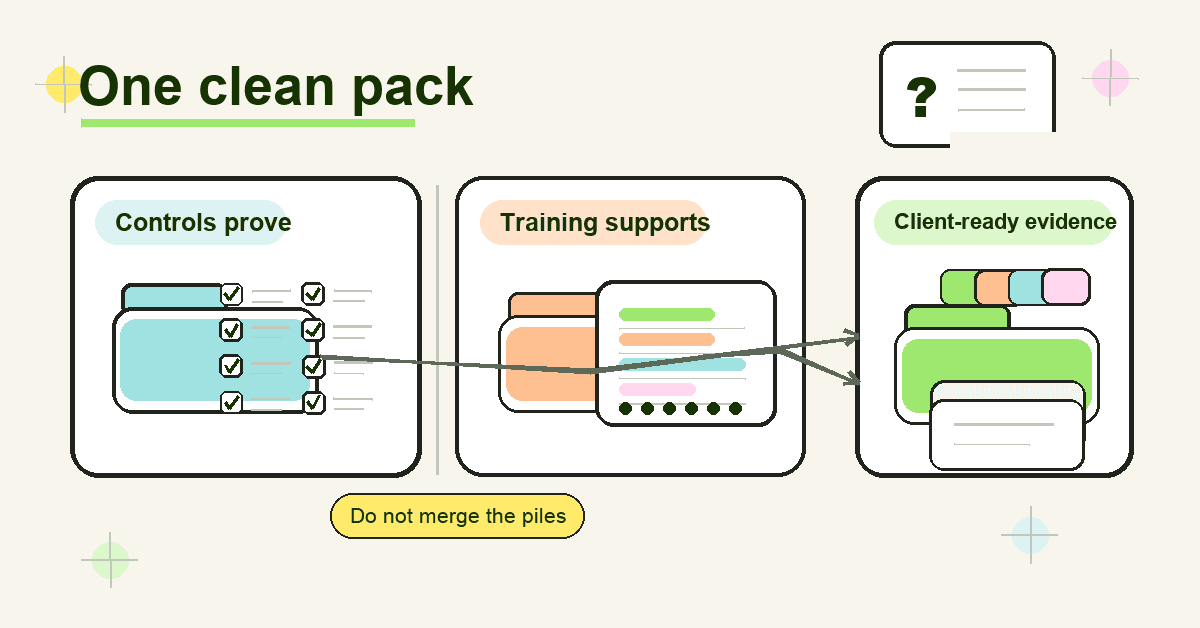
For MSPs, the right move is to keep 2 evidence stories clean: technical evidence for Essential Eight maturity, and tenant-separated awareness evidence that supports user behaviour, policy acknowledgement, cyber insurance questions, ISO 27001 Annex A 6.3, NIST CSF Awareness and Training, and CIS Control 14.
What Essential Eight mapping for training evidence means
Essential Eight mapping for training evidence is the practice of connecting a training record to the control conversation it supports.
It answers questions like:
- Which client tenant did this training cover?
- Which users were assigned and completed it?
- Which topics were covered?
- Which Essential Eight control behaviour does the topic support?
- What framework does the training evidence directly satisfy?
- What technical evidence is still needed?
That last question is the one MSPs need to protect.
A client might ask, "Do we have evidence for Essential Eight?" and hand the MSP a training completion report. The report may be useful. It may show that users were taught not to approve unexpected MFA prompts, not to run macros from unknown senders, and not to ignore update prompts.
But it does not prove MFA is enforced. It does not prove macros are blocked. It does not prove patching happens inside ASD's maturity timeframes. It does not prove backups can be restored.
The mapping is useful because it keeps the evidence honest.
Training evidence belongs beside the control pack, not in place of it.
Why the mapping matters for MSPs
MSPs get pulled into mixed evidence requests all the time.
One client asks about the Essential Eight. Another asks for ISO 27001 evidence. A third needs a cyber insurance questionnaire answered before renewal. The questions sound related, but the proof is not identical.
ASD's Essential Eight explained names the 8 mitigation strategies. ASD's maturity model then sets maturity requirements across those strategies. The model is designed to help organisations protect internet-connected IT networks, and ASD notes that the principles may not fit every enterprise mobility or operational technology environment.
The assessment process guide is even more important for evidence. It tells assessors to gather credible evidence and describes evidence quality from poor to excellent. A policy or verbal statement is poor evidence. A report or screenshot can be fair. Reviewing a system's configuration is good. Testing a control with a simulated activity can be excellent.
That evidence ladder is a useful sanity check for training.
A training completion record is stronger than a verbal promise that users were told something. But it is still not the same as checking the actual Microsoft 365 MFA configuration, macro policy, patch report, application control ruleset, admin membership, or backup restoration test.
For MSPs, the business risk is simple: if training gets oversold as Essential Eight proof, the MSP inherits the cleanup when an assessor, insurer, board, or client executive asks for the missing technical evidence.
What the Essential Eight actually asks for
The Essential Eight is made of 8 mitigation strategies:
- Patch applications.
- Patch operating systems.
- Multi-factor authentication.
- Restrict administrative privileges.
- Application control.
- Restrict Microsoft Office macros.
- User application hardening.
- Regular backups.
ASD's Essential Eight maturity model and ISM mapping maps those requirements to ISM controls. The Information Security Manual is ASD's broader cyber security framework for protecting IT and OT systems using an organisation's risk management framework.
That mapping is control-first.
It is about whether the client has implemented the required technical and process controls at the target maturity level. ASD also says organisations should achieve the same maturity level across all 8 mitigation strategies before moving to higher maturity levels.
Training can support the human side of those strategies. It can reduce confusion, improve reporting, and make policy expectations visible. But an assessor still needs evidence that the control exists and works.
Think of training evidence as a companion record:
- It shows users were taught the behaviour expected around a control.
- It can support exceptions, policy communication, and user accountability.
- It helps answer adjacent frameworks that explicitly ask for awareness training.
- It cannot carry an Essential Eight maturity claim on its own.
Essential Eight mapping for training evidence: practical table
Use this table as an MSP working model. It is not an ASD-endorsed mapping. It is a safe way to separate supporting awareness evidence from technical control evidence.
| Essential Eight area | Training evidence can support | Do not claim training proves | Better technical evidence to pair with it |
|---|---|---|---|
| Patch applications | Users know why update prompts matter, why unsupported software is removed, and why shadow IT creates risk | That applications are patched inside the required timeframe | Vulnerability scan reports, patch deployment records, software inventory, exception register |
| Patch operating systems | Users understand restart prompts, device update expectations, and the risk of unsupported endpoints | That operating systems are patched or replaced | Endpoint inventory, OS version reports, patch compliance reports, vulnerability scan evidence |
| Multi-factor authentication | Users know how MFA works, how to report unexpected prompts, and why weaker MFA can be targeted | That MFA is enforced on the required systems and users | Identity-provider configuration, conditional access policies, user coverage exports, break-glass account review |
| Restrict administrative privileges | Staff understand why admin accounts are separate, monitored, and only used when needed | That admin privileges are restricted | Privileged group exports, access approval records, admin account reviews, privileged access policy evidence |
| Application control | Users understand approved software paths, unsafe downloads, and why executables may be blocked | That application control is deployed and enforced | Application control policy, ruleset review, endpoint test results, blocked execution logs |
| Restrict Microsoft Office macros | Users can spot risky macro prompts and know how to handle files from the internet | That macro settings are locked down | Microsoft Office policy settings, Group Policy or Intune configuration, macro blocking test evidence |
| User application hardening | Users know browser and PDF risks, plugin restrictions, and why settings cannot be changed | That browser, PDF, and user application hardening settings are enforced | Browser configuration, security baseline reports, Intune or GPO exports, configuration review |
| Regular backups | Users understand recovery expectations, storage rules, and why backup access is restricted | That backups are secure, retained, synchronised, or restorable | Backup job reports, retention settings, access controls, restoration test evidence |
The pattern is the same across all 8 rows.
Training can support the behaviour around the control. The control still needs its own evidence.
What to put in an Essential Eight training evidence pack
A useful evidence pack is not a folder full of certificates.
It should help the MSP answer, quickly, "Who was trained, on what, for which client, and how does that support the broader control story?"
For each client tenant, keep:
- Training scope: client name, tenant, date range, included user groups, excluded users, and reason for exclusions.
- Topic map: which modules or campaigns covered MFA, macros, phishing, software updates, password hygiene, reporting, admin access, backups, data handling, and AI-enabled scams.
- Completion evidence: assigned users, completed users, overdue users, completion dates, and completion percentage.
- Understanding evidence: quiz results, assessment status, phishing simulation results, or policy acknowledgements where used.
- Exception notes: users or roles not trained, why they were excluded, who approved the exception, and when it will be reviewed.
- Reporting artefacts: exported PDF or CSV reports, report generation date, report owner, and client-ready summary.
- Version evidence: campaign version, policy version, or training content version, especially when the content supports a policy change.
- Control pairing notes: a short note showing what technical evidence still proves the Essential Eight control.
This is where MSP workflow matters.
If the evidence lives across screenshots, CSVs, emails, LMS exports, PSA notes, and one tech's memory, the MSP pays the admin bill every time a client asks. A multi-tenant training platform and automated reporting make the evidence pack easier to repeat without rebuilding it for every client.
Step-by-step: how MSPs should map training evidence
1. Start with the client's actual request
Do not assume "Essential Eight evidence" means training evidence.
Ask what the client needs to answer: a board report, maturity self-assessment, cyber insurance renewal, ISO audit, QBR, supplier questionnaire, or internal risk review. The destination decides how strict the evidence needs to be.
2. Separate technical proof from awareness proof
Create 2 columns before collecting anything.
Column 1 is technical Essential Eight evidence: policies, configurations, logs, scans, tests, access reviews, and backup results. Column 2 is training and awareness evidence: assignments, completions, assessments, acknowledgements, campaigns, and user-facing guidance.
This protects the MSP from accidental overclaiming.
3. Map topics to user behaviour
Do not map a generic "cybersecurity awareness" certificate to all 8 controls.
Be specific. MFA training supports user behaviour around prompt fatigue and reporting. Macro training supports safe handling of files from the internet. Admin privilege training supports separation of admin and everyday work. Backup awareness supports recovery expectations, but backup testing needs its own evidence.
4. Map each record to a framework
Training records map most directly to awareness controls outside the Essential Eight.
NIST's Protect category includes Awareness and Training, describing personnel and partners receiving cybersecurity awareness education and being trained for security-related duties. CSF Tools summarises PR.AT in similar terms.
ISO 27001 Annex A 6.3 is also a direct fit. High Table's guide to ISO 27001 Annex A 6.3 notes the need for records showing training happened, people understood it, and responsibilities were communicated.
CIS Control 14 is another direct fit: establish and maintain a security awareness program to influence workforce behaviour and reduce risk.
5. Add client-ready commentary
Do not hand clients a raw export and make them interpret it.
Add a short summary: "This pack shows awareness evidence supporting MFA, macro handling, update behaviour, reporting, and backup-user expectations. Technical Essential Eight evidence is held separately in the control evidence pack."
That line prevents confusion and sets the right confidence level.
6. Review the pack before renewal or audit season
Evidence gets stale.
Before a cyber insurance renewal, client audit, or QBR, check that user lists, completion data, tenant names, dates, and exceptions still match reality. This is also where a white-label MSP report helps: the client sees the MSP's service, not a vendor dump.
What good looks like
A good MSP evidence pack has 5 traits.
It is tenant-separated. Client A never appears in Client B's export. The MSP can answer one client without redacting another client's data.
It is control-aware. The report does not say "training equals Essential Eight." It says training supports user behaviour around specific controls, while the technical pack proves the control.
It is dated and repeatable. Every export has a date range, source, and owner. The MSP can reproduce the report next quarter.
It includes exceptions. Overdue users, excluded users, failed quizzes, and missed assignments are visible. Hidden gaps create worse audit conversations later.
It speaks client language. The summary is written for an owner, vCISO, auditor, or insurer, not only for the LMS administrator.
That is the bar MSPs should aim for.
Not more screenshots. Better evidence.
Mistakes to avoid
Mistake 1: Calling training an Essential Eight control
This is the big one.
The Essential Eight does not include a standalone awareness-training strategy. If a client needs training evidence, map it to the control story carefully, then map it directly to frameworks that actually ask for awareness training.
Mistake 2: Using one certificate as universal proof
A certificate can prove a user completed a module. It does not prove the client has enforced MFA, blocked macros, restricted admin privileges, patched systems, or tested backups.
Use certificates as supporting evidence, not the whole pack.
Mistake 3: Ignoring evidence quality
ASD's assessment guide is clear that evidence quality varies.
A training policy is weaker than a completion export. A completion export is weaker than technical control testing for the Essential Eight item itself. MSPs should label evidence for what it proves, not what they wish it proved.
Mistake 4: Mixing clients in one admin workflow
MSPs do not have a single-client problem. They have a repeatability problem.
If every client needs manual exports, renamed PDFs, copied screenshots, and hand-written summaries, the service margin disappears. This is why compliance reporting and tenant separation matter for MSP security awareness training.
Mistake 5: Waiting until the questionnaire arrives
By the time a cyber insurance renewal lands, the evidence window has already happened.
Some insurer application forms ask whether organisations regularly provide cybersecurity awareness training, including anti-phishing awareness, to users with network access. MSPs should assume training evidence will be requested and keep it current rather than recreating it under deadline pressure.
Framework mapping: where training evidence fits best
Training evidence is strongest when mapped to the framework that actually asks for training.
| Framework or request | How training evidence fits | What MSPs should be careful about |
|---|---|---|
| Essential Eight | Supporting evidence for user behaviour around technical controls | Do not claim training proves Essential Eight maturity |
| ASD ISM | Can support broader policy, responsibility, and risk-management conversations | Use the ISM mapping for technical controls, not as a shortcut for awareness claims |
| NIST CSF PR.AT | Direct awareness and training evidence | Include users, roles, topics, dates, and completion data |
| ISO 27001 Annex A 6.3 | Direct evidence for awareness, education, training, regular updates, and responsibilities | Keep records and map topics to job function |
| CIS Control 14 | Direct evidence for a security awareness and skills program | Show program cadence, topic coverage, and role-based depth |
| Cyber insurance questionnaires | Practical evidence for awareness and anti-phishing questions | Answer only what the questionnaire asks; keep technical controls separate |
The MSP advantage is not having a longer explanation.
It is having the evidence ready before anyone asks.
How Defendwise fits
Defendwise is built for MSPs that need security awareness training to behave like a managed service, not another per-client admin queue.
With flat-rate pricing, white-label delivery, multi-tenant management, and client-ready reports, Defendwise helps MSPs keep the awareness evidence layer tidy across unlimited users and clients. It supports the training side of Essential Eight conversations, ISO 27001 Annex A 6.3, NIST CSF Awareness and Training, CIS Control 14, QBRs, and cyber insurance evidence packs.
It does not replace the technical Essential Eight evidence your client still needs.
That is the point. Clean training evidence beside clean control evidence.
Frequently asked questions
What is the Essential Eight mapping for training evidence?
Essential Eight mapping for training evidence is the process of linking awareness-training records to the Essential Eight controls they support, such as MFA, restricted admin privileges, macro control, patching, and backups.
It does not turn training into an Essential Eight control. The mapping helps MSPs explain where training supports user behaviour and where technical evidence is still required.
Does the Essential Eight require security awareness training?
The Essential Eight does not have a dedicated security awareness training control in the way NIST CSF PR.AT, ISO 27001 Annex A 6.3, or CIS Control 14 do.
Training still matters because users need to understand MFA prompts, macro warnings, update behaviour, reporting paths, and access expectations. Just keep the claim precise.
Can training evidence prove Essential Eight maturity?
No. Training evidence alone should not be used to prove Essential Eight maturity.
ASD's assessment guidance expects credible evidence for the implementation and effectiveness of controls. Training records can support the story, but control configuration, logs, tests, scans, access reviews, and backup restoration evidence do the technical proving.
What training evidence should MSPs keep for Essential Eight conversations?
Keep tenant-separated records showing the client scope, assigned users, completed users, overdue users, training topics, dates, assessment results, policy acknowledgements, report exports, and exceptions.
Also keep a short mapping note that explains which Essential Eight control behaviour each topic supports and what technical evidence proves the control itself.
Which Essential Eight areas can awareness training support?
Awareness training can support MFA behaviour, privileged access discipline, macro handling, unsafe downloads, update prompts, backup-user expectations, phishing reporting, and exception handling.
It does not replace technical controls like application control, MFA enforcement, admin restriction, hardening, patching, or backup testing.
How does Essential Eight training evidence map to ISO 27001 and NIST CSF?
Training evidence maps more directly to ISO 27001 Annex A 6.3, NIST CSF Awareness and Training, and CIS Control 14 than it does to the Essential Eight.
Those frameworks explicitly discuss awareness, education, training, roles, responsibilities, or workforce behaviour. The Essential Eight is better treated as the technical control set beside that training evidence.
Where does Defendwise fit into Essential Eight training evidence?
Defendwise helps MSPs deliver flat-rate, white-label security awareness training across client tenants and produce client-ready reports.
It can support the awareness evidence layer around Essential Eight conversations, but the client still needs technical evidence for the Essential Eight controls themselves.
Source notes
External sources checked and used:
- ASD, Essential Eight explained: https://www.cyber.gov.au/business-government/asds-cyber-security-frameworks/essential-eight/essential-eight-explained
- ASD, Essential Eight maturity model: https://www.cyber.gov.au/business-government/asds-cyber-security-frameworks/essential-eight/essential-eight-maturity-model
- ASD, Essential Eight assessment process guide: https://www.cyber.gov.au/business-government/asds-cyber-security-frameworks/essential-eight/essential-eight-assessment-process-guide
- ASD, Essential Eight maturity model and ISM mapping: https://www.cyber.gov.au/business-government/asds-cyber-security-frameworks/essential-eight/essential-eight-maturity-model-and-ism-mapping
- ASD, Information Security Manual: https://www.cyber.gov.au/business-government/asds-cyber-security-frameworks/ism
- NIST, Cybersecurity Framework Protect category: https://www.nist.gov/cyberframework/protect
- CSF Tools, NIST CSF PR.AT summary: https://csf.tools/reference/nist-cybersecurity-framework/v1-1/pr/pr-at/
- CIS, Control 14: Security Awareness and Skills Training: https://www.cisecurity.org/controls/security-awareness-and-skills-training
- High Table, ISO 27001 Annex A 6.3 guide: https://hightable.io/iso-27001-annex-a-6-3-information-security-awareness-education-and-training/
- Advisera, ISO 27001 Control 6.3 overview: https://advisera.com/iso27001/control-6-3-information-security-awareness-education-and-training/
- Drata, ACSC Essential Eight requirement-level guide: https://help.drata.com/en/articles/12430948-acsc-essential-eight-a-requirement-level-guide
- Beazley, cyber insurance questionnaire example: https://www.beazley.com/globalassets/product-documents/app-form/beazley-cyber-insurance-application-long-sub-20m.pdf
Source caution:
- The article deliberately does not claim that the Essential Eight has a standalone awareness-training control.
- Training evidence is framed as supporting evidence for Essential Eight conversations and direct evidence for awareness-specific frameworks or questionnaires.
- No Defendwise customer, compliance guarantee, or integration-count claims are included.