Alternatives to per-seat SAT pricing for MSPs
Alternatives to per-seat SAT pricing for MSPs: compare active-user, client-tiered, bundled, and flat-fee models for margin.
DefendWise
DefendWise
TL;DR
Alternatives to per-seat SAT pricing for MSPs matter because SAT is no longer a spare add-on.
Clients ask for training. Insurers ask for training. Frameworks ask for evidence. The question is not whether an MSP should offer security awareness training. The question is whether the pricing model lets the MSP roll it out widely without turning every new client user into a margin leak.
Per-seat pricing can work for some buyers. It is familiar, easy to quote, and fair when every extra learner clearly maps to extra value. But MSPs do not sell SAT like internal IT buys SAT. MSPs package services, protect margin, and manage many client tenants at once.
The real alternatives are active-user pricing, client-tier pricing, usage-based pricing with fair-use rules, SAT bundled inside managed security packages, and flat-fee MSP-first pricing. Each one changes the risk. The smart choice is the one that protects coverage, margin, reporting, and admin time at the same time.
What per-seat SAT pricing means for MSPs
Per-seat SAT pricing charges by learner, employee, user, or seat.
That is the default model in much of the security awareness training market. It is not automatically bad. It is simple to understand, and it lets a vendor match revenue to the number of people being trained.
KnowBe4 is a clear example. Its public pricing page lists security awareness training plans by monthly price per seat on a 3-year term, with different seat bands and content levels. It also lists a large training library, phishing features, reporting, audit logs, integrations, and add-ons. That is a serious platform with depth.
The problem for MSPs is not that per-seat vendors are weak. The problem is that the billing model often points in the opposite direction from the MSP's commercial goal.
An MSP owner usually wants to say:
"Security awareness is included in our managed security package. We cover your people, keep training current, and bring reports to the QBR."
A per-seat vendor bill says:
"Every extra user increases your cost. Every stale account needs cleanup. Every client expansion changes the margin picture."
Those 2 ideas fight each other.
If you sell SAT as a pass-through line item, per-seat pricing is manageable. You quote the seats, pass the bill through, and revisit it when headcount changes.
If you sell SAT as part of a fixed managed service, the model gets harder. Your client adds 14 staff, opens a second office, buys another company, or asks to include seasonal workers. The client sees better coverage. You see a larger vendor bill.
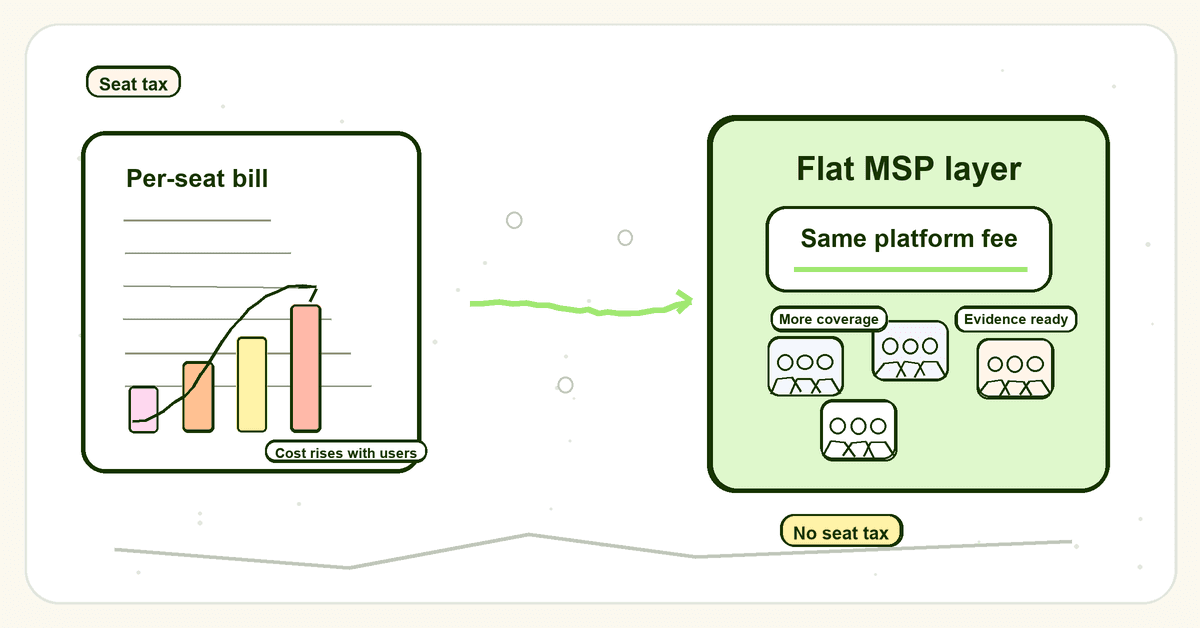
That is the seat tax.
Why per-seat SAT pricing breaks MSP packaging
MSPs already understand the trade-offs in pricing models.
ChannelPro's guide to MSP pricing models compares per-device, per-user, and flat-fee pricing. It notes that per-user pricing can simplify quotes and forecasting, while flat-fee pricing gives clients budget certainty and pushes the MSP to improve process efficiency. It also calls out the risk in flat fees: underpricing and unclear scope can hurt margin.
SAT has the same tension, but with one extra twist. Security awareness training works best when coverage is broad.
A client does not only need training for executives. A frontline employee can click a credential phish. A finance user can fall for business email compromise. A new hire can miss the reporting process. A shared mailbox can create confusion even if it should not be counted as a learner.
So the MSP's operational instinct is universal coverage. The per-seat bill's instinct is controlled coverage.
That creates 5 problems.
1. Growth becomes a cost event
A client adding users should be good news. It means the client is growing, the account has more value, and the MSP has a stronger relationship.
Under per-seat SAT pricing, growth also increases vendor cost. That is fine if your client contract adjusts cleanly. It is painful if SAT sits inside a fixed bundle and seat counts drift for months before anyone reviews billing.
The margin problem is not dramatic on day 1. It creeps.
A client adds 5 users. Another adds 12. Another never removes old users. A few shared accounts sneak into sync. The invoice grows, but the managed-service package may not.
2. User-count hygiene becomes a monthly chore
Per-seat models need clean user lists.
That means someone has to answer practical questions:
- Are terminated users removed?
- Are contractors included?
- Are shared mailboxes counted?
- Are inactive accounts still being billed?
- Does every tenant sync properly?
- Who checks this before renewal?
Huntress's SAT pricing page makes a fair point here. It describes per-learner, per-month pricing billed annually, with daily directory syncs so buyers pay for active employees rather than ex-employees, shared mailboxes, or printers.
That active-user approach is better than sloppy seat billing. It reduces waste. It still leaves the MSP with a user-based cost model.
For some MSPs, that is enough. For MSPs trying to include SAT for every managed client by default, it may still be a ceiling.
3. The quote becomes harder to package
MSPs sell easier when the package is clear.
A client owner understands:
"Your managed security package is $X per month. It includes awareness training, phishing education, reports, and evidence."
They understand that faster than:
"Training is $Y per active user, billed annually, adjusted by tier, with separate treatment for stale users, and we may need to revisit counts if headcount changes."
That second version may be accurate. It is also harder to sell as a standard package.
A complicated input cost often turns into a complicated client conversation. The MSP either passes that complexity through, which slows the sale, or absorbs it, which hurts margin.
4. Reporting becomes invisible labor
Pricing is not only the subscription line.
Security awareness training creates work around the platform:
- campaign setup
- user lifecycle checks
- reminder chasing
- completion reports
- phishing simulation readouts
- executive summaries
- audit exports
- QBR material
NIST SP 800-50 frames awareness and training as a lifecycle: design, material development, implementation, and post-implementation. That maps closely to the MSP problem. The work is not finished when a module is assigned.
Per-seat pricing does not automatically create this work. But when a vendor is built for internal teams first, the MSP may still need to add a service layer around it for tenant separation, white-label reporting, and client-ready evidence.
That labor has a cost. It should be part of the pricing decision.
5. Coverage gets negotiated down
The worst outcome is not a high bill.
The worst outcome is partial coverage.
When every user costs more, MSPs and clients can start trimming. Maybe only full-time staff get training. Maybe low-risk users are excluded. Maybe new hires wait until the next billing cycle. Maybe training becomes an annual checkbox for the people already in the system.
That is risky because the external pressure is moving the other way.
NIST's Cybersecurity Framework Protect function maps awareness and training to PR.AT, where personnel and partners are provided cybersecurity awareness education and training for their security-related duties. CIS Control 14 says organizations should establish and maintain a security awareness program to influence workforce behavior and reduce cybersecurity risk. ConnectWise's 2025 cyber insurance guidance for MSPs lists security awareness training, at least annually and including phishing simulations, among baseline items carriers look for.
Those expectations point toward better coverage and better evidence, not narrower scope.
The alternatives to per-seat SAT pricing for MSPs
There are 5 practical alternatives to classic per-seat SAT pricing. None is perfect. Each one moves the risk to a different place.
| Pricing model | How it works | MSP upside | MSP watch-out |
|---|---|---|---|
| Active-user pricing | Pay for active synced learners only | Less waste from stale users and shared mailboxes | Still tied to headcount growth |
| Client-tier pricing | Pay by client size bands or package tiers | Easier to quote than exact seats | Tier cliffs can create renewal friction |
| Usage-based with fair-use rules | Broad access with limits against abuse | Supports wide rollout with guardrails | Terms must be plain enough to explain |
| Bundled MSP service pricing | MSP includes SAT inside a managed package | Simple client story and stronger attach rate | MSP must control vendor cost and admin |
| Flat-fee MSP-first pricing | One platform fee for the MSP, not per learner | Predictable margin and easier universal coverage | Requires fair-use boundaries and strong operations |
Alternative 1: Active-user pricing
Active-user pricing is the closest cousin to per-seat pricing.
Instead of paying for every possible account, you pay for users who are actually active, synced, or eligible under the vendor's rules. Huntress positions this as paying only for active employees, supported by daily directory syncs. That is a sensible fix for wasted seats.
This model fits MSPs that want:
- user-based billing without messy cleanup
- clear links between client headcount and vendor cost
- lower waste from ex-employees or non-human accounts
- a familiar model for clients already used to per-user software
The limitation is simple: active-user pricing is still user-based pricing.
It reduces noise. It does not remove seat-growth risk.
If an MSP wants every client user covered by default, active-user pricing may still make growth feel expensive. The better the MSP sells SAT, the more the bill grows.
Alternative 2: Client-tier pricing
Client-tier pricing groups customers into bands.
For example, a client with 1–50 users might sit in one tier, 51–150 in another, and 151–500 in another. The MSP can quote a fixed client package until the client crosses the next band.
This is easier to package than exact per-seat billing. It lets the MSP say, "Your company sits in this training tier," rather than recalculating the quote for every new hire.
It also has a trap: tier cliffs.
A client moving from 49 to 51 users may trigger a larger cost change than the practical training work justifies. That can create awkward conversations. It can also push MSPs to delay user additions or leave people out until the next review.
Client-tier pricing works best when:
- bands are wide enough to avoid constant movement
- tier changes are reviewed at set times, not every week
- client contracts explain what happens when headcount changes
- reports show coverage clearly within each tier
For MSPs, tier pricing is a packaging bridge. It is better than pure per-seat billing for some accounts, but it still needs disciplined reviews.
Alternative 3: Usage-based pricing with fair-use rules
Usage-based pricing sounds attractive until it becomes metered chaos.
A bad usage model charges for too many tiny events: modules launched, phishing tests sent, reports exported, integrations used, domains added, or reminders sent. That turns SAT into cloud billing. Nobody wants to explain that in a QBR.
A better model gives broad access with fair-use boundaries.
The MSP gets room to cover users and clients without counting every seat. The vendor still protects the platform from abuse, resale misuse, or extreme outlier usage.
The key is plain-language terms.
A useful fair-use model should answer:
- Who can be trained?
- Are all managed clients covered?
- What counts as normal MSP usage?
- What happens if usage looks abnormal?
- Is there a forced upgrade, or a conversation first?
- Can the MSP explain the policy to a client without legal fog?
This model fits MSPs that want broad rollout without pretending usage is infinite in every possible scenario.
The danger is ambiguity. If fair use is vague, it becomes another renewal surprise. If it is clear, it can support universal client coverage while keeping both sides honest.
Alternative 4: Bundled MSP service pricing
This is not a vendor pricing model. It is how the MSP sells the service.
The MSP includes SAT inside a managed security package, a compliance package, a cyber insurance readiness package, or a baseline user-risk package. The client buys the outcome, not the vendor seat count.
This is how many MSPs want to sell.
It gives the client a cleaner story:
- training is included
- onboarding is handled
- reminders are handled
- reports are included
- evidence is available for insurers, auditors, and QBRs
It also lets the MSP make SAT part of the security relationship instead of a small optional line item.
But bundling only works when the input economics work.
If the MSP bundles SAT on top of a per-seat vendor cost, it needs tight controls:
- Defined user scope. Which users are covered, and when does the client package price change?
- Automated user lifecycle. New hires and leavers cannot become manual ticket work.
- Tenant-separated reporting. Every client needs clean reports without screenshot stitching.
- Scheduled billing reviews. Seat changes need a contract rhythm.
- Margin checks. The MSP should know whether SAT is accretive, neutral, or leaking margin.
Bundled pricing is strong. It is also unforgiving if the vendor model underneath fights it.
Alternative 5: Flat-fee MSP-first pricing
Flat-fee MSP-first pricing is the cleanest alternative for MSPs that want SAT in every client package.
The MSP pays one platform fee. The fee does not rise with every client user. The MSP can then decide how to package, include, price, or bundle the service across its client base.
This model fits the MSP motion because it lines up with how MSP owners think:
- fixed input cost
- simple package story
- clearer margin forecast
- easier universal coverage
- less seat-count policing
- better fit for white-label, multi-tenant delivery
It does not mean there are no rules. Flat-fee platforms still need fair-use terms, abuse controls, and sensible boundaries. The difference is where the default sits.
Per-seat pricing starts with restriction: count every user.
Flat-fee MSP pricing starts with rollout: cover the client base, then manage exceptions if usage becomes abnormal.
That is a better default for MSPs trying to make SAT a standard service, not a special project.
How MSPs should choose a SAT pricing model
Do not pick the model by looking at the lowest visible price.
Pick it by looking at the full delivery model.
Use this checklist before signing or renewing.
| Question | Why it matters |
|---|---|
| Does the vendor bill by user, active user, client, usage, or platform? | This tells you what happens when clients grow. |
| Can we include SAT for every managed client by default? | The model should support broad coverage, not punish it. |
| What happens when a client adds 20 users? | Growth should not surprise your margin. |
| Are stale users cleaned automatically? | Seat hygiene should not become monthly admin. |
| Can reports be exported by tenant? | Client-ready evidence is part of the service. |
| Is white-label delivery included? | MSPs need the client relationship to stay with the MSP. |
| Are phishing, reminders, and reports included or add-ons? | Add-ons can change the real cost. |
| Are fair-use terms clear? | Unlimited language without clear terms creates renewal risk. |
| Can the model fit QBR and cyber insurance conversations? | The service must produce proof, not just training activity. |
A cheap per-seat quote can still be expensive if it creates billing cleanup, admin work, or partial rollout.
A higher fixed fee can be cheaper in practice if it lets the MSP standardize the package and spread SAT across many clients.
The calculation is not only:
"What is the price per learner?"
It is:
"Can we profitably make this a standard service across the client base?"
What good SAT pricing looks like for MSPs
Good SAT pricing for MSPs should make the desired behavior easy.
The desired behavior is not selling the smallest possible number of seats. It is training the right users, keeping content current, proving completion, and showing clients that the MSP is managing human risk.
A good model has 6 signals.
1. It makes universal coverage easier
If the MSP wants every client user trained, the model should not punish that instinct.
Broad coverage is cleaner for onboarding, insurance, reporting, and client trust. It also avoids awkward debates about who is important enough to train.
2. It protects package margin
An MSP should be able to answer one simple question:
"If we add SAT to our standard package, does our margin hold as clients grow?"
If the answer requires a spreadsheet, a quarterly seat audit, and a hope that nobody adds users mid-term, the model may be wrong for the package.
3. It reduces admin, not just seat waste
Directory sync matters. So do automated reminders, reporting, tenant setup, evidence exports, and QBR-ready summaries.
A pricing model that saves $40/month but adds 4 hours of technician time is not cheap.
4. It keeps the MSP in the relationship
MSPs need white-label delivery and clean tenant separation.
Clients should see the MSP's service, not a random third-party training brand that creates trust friction. Reports should make the MSP look organized, not like it is forwarding vendor screenshots.
5. It supports evidence, not only completion
Framework and insurance pressure changes the bar.
CIS Control 14 is about a maintained awareness program that influences behavior. NIST SP 800-50 talks about program design, implementation, and post-implementation work. The FTC Safeguards Rule tells covered financial institutions to train staff and schedule regular refreshers. ConnectWise notes that cyber insurers commonly look for at least annual security awareness training with phishing simulations.
The MSP needs proof:
- assigned users
- completed users
- overdue users
- reminder history
- topic coverage
- phishing simulation evidence where used
- tenant-specific exports
- report history for QBRs and audits
Pricing that encourages minimum coverage makes evidence weaker.
6. It is explainable in 30 seconds
The best MSP packages are easy to explain.
If the pricing story takes 5 minutes, clients hear complexity. Complexity slows buying and creates renewal questions.
A strong SAT pricing model should let the MSP say:
"Training is part of the package. We cover your users, keep the program running, and bring the evidence back to you."
That is the line clients buy.
Framework and insurance pressure make pricing more important
Security awareness training has moved from nice-to-have to expected control.
CISA's Secure Our World program focuses on practical user behaviors such as recognizing phishing, using strong passwords, turning on MFA, and updating software. Verizon's DBIR archive keeps human-heavy breach causes in view, including phishing, social engineering, and stolen credentials. NIST CSF PR.AT and CIS Control 14 both make awareness and training part of the security management conversation.
For MSPs, that creates an opportunity and a risk.
The opportunity: SAT belongs in the managed security package. It gives MSPs a recurring reason to talk about risk, adoption, behavior, insurance readiness, and QBR evidence.
The risk: if SAT is priced and operated like a small per-seat add-on, it becomes another tool to reconcile instead of a service to scale.
That is why pricing model matters.
A client does not ask, "Did you pick the cheapest awareness vendor?"
They ask:
- "Are our users covered?"
- "Can we show this to insurance?"
- "Can you prove completion?"
- "Why are we paying more this year?"
- "Can this report go into the board pack?"
The pricing model either helps you answer those questions or makes them harder.
Mistakes to avoid when replacing per-seat SAT pricing
Mistake 1: Switching models without checking scope
Flat-fee or fair-use pricing does not remove the need for scope.
You still need to define who is covered, how client tenants are used, what normal usage means, and how exceptions are handled. The point is not to remove boundaries. The point is to remove seat-by-seat drag from normal MSP growth.
Mistake 2: Comparing only the vendor subscription
The real cost includes admin time.
If one platform is cheaper but needs manual reporting, client-by-client setup, and extra reminder chasing, it may cost more than it appears.
Include technician time, service manager time, QBR prep, and renewal cleanup in the decision.
Mistake 3: Letting clients opt out too easily
If SAT is optional, it often gets cut by clients who need it most.
MSPs should decide whether training is part of the baseline security standard. If it is, price the package so it can be included properly. Do not build a standard around a tool model that makes you nervous every time you add a user.
Mistake 4: Treating content library size as the main buying criterion
KnowBe4 has a large library. Hook Security emphasizes short psychology-based training and managed program features. usecure includes training, phishing, breach monitoring, policies, reporting, MSP features, and user sync in its plans. Huntress emphasizes managed SAT, active-user billing, and directory sync.
Those are real strengths.
But an MSP should not stop at feature count. The question is whether the platform's economics and operations fit the MSP service model.
A big library does not fix a bad margin model. A nice module does not export an audit pack by itself. A fair per-user price can still create a seat tax when SAT becomes standard across 50 clients.
Mistake 5: Hiding the pricing model from the client conversation
Clients do not need your vendor invoice details. They do need to understand what is included, what changes price, and what they get back.
If user growth changes their package cost, say so. If training is included under a flat managed-service package, say what coverage includes. If fair-use boundaries exist, explain them plainly.
Hidden pricing mechanics become renewal problems.
How Defendwise fits
Defendwise is built around the MSP version of the problem.
It is $399/month, flat-rate, with unlimited users, white-label delivery, multi-tenant management, automation, and reporting. The point is not just a lower bill. The point is a pricing model that lets an MSP package SAT without counting every seat like a liability.
If you want to offer security awareness training across more clients without adding a per-seat vendor bill behind every new user, start with the model.
Then choose the platform.
Start a free 7-day trial and test it with one client before you decide how to package it across the rest.
Frequently asked questions
What are the main alternatives to per-seat SAT pricing for MSPs?
The main alternatives are active-user pricing, client-tier pricing, usage-based pricing with fair-use limits, bundled managed-service pricing, and flat-fee MSP-first pricing.
Each model changes who carries seat-growth risk. Per-seat and active-user models keep the cost tied to headcount. Flat-fee MSP-first pricing gives the MSP more room to package training broadly without every new user changing the vendor bill.
Why is per-seat security awareness training hard for MSP margins?
Per-seat security awareness training is hard for MSP margins because the vendor bill grows every time a client adds users.
That can be fine when SAT is sold as a pass-through line item. It is harder when SAT is included inside a fixed managed security package. In that case, client growth can increase the MSP's vendor cost before the client package price changes.
Is active-user pricing better than per-seat pricing for SAT?
Active-user pricing can be better than broad per-seat pricing because it reduces waste from stale users, ex-employees, and non-human accounts.
It still ties the MSP's cost to active client headcount. That means it is cleaner than sloppy per-seat billing, but it does not fully remove the seat-count problem for MSPs that want universal coverage across the client base.
What is flat-fee SAT pricing?
Flat-fee SAT pricing means the MSP pays one fixed monthly platform fee rather than paying for every learner.
For MSPs, the main value is price certainty. It helps the MSP include training in client packages, support broad user coverage, and avoid recalculating the vendor bill every time a client adds staff.
How should MSPs compare SAT pricing models?
MSPs should compare SAT pricing models by looking at total delivery cost, not only the visible subscription price.
Check vendor cost, admin time, user cleanup, tenant separation, white-label delivery, reporting, audit evidence, billing terms, and the effect on package margin. The cheapest per-seat quote can still be expensive if it creates manual work or discourages coverage.
Should MSPs include SAT in every managed security package?
Many MSPs should consider including SAT in managed security packages because employee training is now tied to client risk, compliance evidence, cyber insurance conversations, and QBR reporting.
The packaging only works if the MSP can control cost and admin. If every extra user creates a new vendor charge and every report needs manual cleanup, SAT can become a margin problem instead of a standard service.
How does Defendwise approach SAT pricing for MSPs?
Defendwise gives MSPs flat-rate security awareness training at $399/month with unlimited users, white-label delivery, multi-tenant management, automation, and reporting.
It is built for MSPs that want to roll training into client packages without adding a per-seat vendor bill behind every new user.